Call to Action (CTA)
A Call to Action (CTA) is a prompt on your website designed to encourage visitors to take a specific, desired action, like booking a call or downloading a guide.
What is a call to action and why is it so important for my website's success?
A Call to Action, or CTA, is essentially the part of your website that tells your visitors what to do next. It can be a button, a line of text, or an image that encourages an immediate response. Think of it as a friendly signpost guiding people on their journey through your site. Without clear CTAs, visitors might read your content and leave, unsure of the next step.
CTAs are vital because they turn a passive browser into an active participant. They are the bridge between a user simply consuming information and taking a meaningful step towards becoming a customer. A well-placed CTA can guide someone to book a meeting, subscribe to a newsletter, or download a resource. This makes your website more than just a digital brochure; it becomes a powerful tool for generating leads and driving business growth.
How do you write a call to action that actually encourages people to click?
Writing a great CTA is about being clear, compelling, and value-driven. Start with a strong action verb that tells people exactly what to do. Words like 'Get', 'Download', 'Book', or 'Start' are much more effective than passive phrases like 'Click here'.
Your CTA should also communicate the benefit. Instead of a button that just says 'Submit', try 'Get Your Free Guide' or 'Book My Free Audit'. This frames the action around what the user receives, making it far more appealing. Keeping the text short and sharp is key. A user should understand the outcome of their click in a split second. Don't be afraid to test different versions to see what resonates most with your audience. This process, known as A/B testing, can reveal surprising insights into what language drives the most action.
What are some examples of effective call to action buttons for a service business?
For a service-based business, your CTAs should align with your sales process and the user's intent on a particular page. On a homepage, a primary CTA might be 'Book a Free Consultation' or 'See Our Services'. These are clear, low-commitment next steps for someone just getting to know you.
If you offer valuable content like guides or checklists, 'Download the E-book' or 'Get the Checklist' are excellent for capturing leads. On a pricing page, something more direct like 'Choose Your Plan' or 'Get Started Today' works well, as the user is further down the decision making path. For a contact page, a simple 'Send a Message' or 'Start a Conversation' feels friendly and approachable. The key is to match the CTA to the context of the page and the mindset of the visitor.
Where are the best places to put a call to action on a Webflow website?
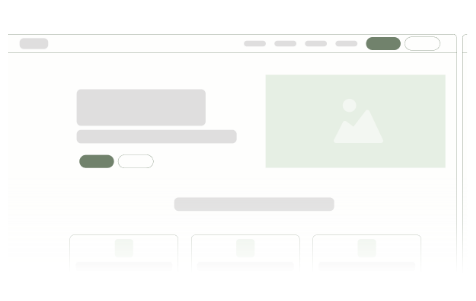
Strategic placement is just as important as the words you use. Webflow's flexible design capabilities allow you to place CTAs in highly effective locations. The most crucial spot is in your hero section, right at the top of the page. This is your primary CTA and should be instantly visible without any scrolling.
Another key area is at the end of each page or major section. After a visitor has read your content, you need to tell them what's next. Your website's navigation bar is also a prime location for a persistent, site-wide CTA like 'Book a Call'. You can also weave CTAs naturally into your content, for example, linking to a relevant service at the end of a blog post.
Finally, the footer is a great place for secondary CTAs, such as a newsletter sign-up or a link to your contact page. The goal is to make the desired action easy and accessible, no matter where a user is on your site.
How can I make sure my website's CTAs are working effectively?
Getting your CTAs right is a blend of art and science. It is a core part of an effective User Experience (UX) and something we focus on intently in every Webflow project. It’s easy to make common mistakes like using vague language, offering too many choices at once, or creating buttons that don't stand out visually. These small issues can have a big impact on your conversion rates.
If you are wondering whether your website’s CTAs are truly performing as they should, a great first step is to get a fresh perspective. We offer a free, no-obligation site audit where we can look at your current setup and provide clear, actionable advice. It is a simple way to start turning more of your visitors into valuable customers.