Mockup
A mockup is a static, high-fidelity visual design that shows how a website will look and feel before any code is written, focusing on colours and typography.
What's the difference between a wireframe, a mockup, and a prototype?
It's easy to get these terms mixed up, but they represent three distinct stages in the design process, each building on the last. Think of it like building a house. A wireframe is the architect's blueprint, a mockup is the interior designer's visual render showing colours and furniture, and a prototype is a walkable model you can interact with.
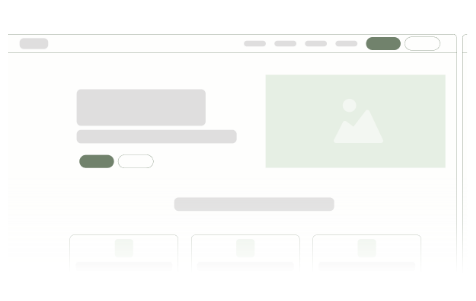
A wireframe is a low-fidelity, basic layout that focuses purely on structure and where elements go. It's black and white, with simple boxes and text. A mockup is the next step up. It's a high-fidelity static image that applies the full visual design, including colours, fonts, and actual imagery. It shows exactly how the final site will look. Finally, a prototype adds interactivity to the mockup, making buttons clickable and linking pages together to simulate the user journey.
Each stage serves a crucial purpose. Wireframes confirm the structure, mockups align everyone on the visual direction, and prototypes test the user flow. Skipping a step can lead to misunderstandings and costly changes down the line.
Why are mockups so important for a Webflow website project?
A mockup acts as the visual source of truth for the entire team and the client. Before any development begins in Webflow, a detailed mockup ensures everyone has the same vision for the final product. It sets clear expectations for the look, feel, and style of the website, which dramatically reduces the chances of expensive and time-consuming revisions during the development phase.
For a platform like Webflow, which allows for pixel-perfect development, a high-quality mockup is essential. It provides the developer with a precise blueprint to follow, covering everything from spacing and colour codes to font sizes and image placements. This detailed guidance makes the Figma to Webflow handoff process smoother, faster, and results in a higher quality website that perfectly matches the approved design.
How do Figma mockups fit into the website design process?
Figma is the industry-standard tool for creating website mockups, and it's a core part of our design process at Tahi Studio. After the initial strategy and wireframing stages, our designers use Figma to bring the website's visual identity to life. This is where we apply the brand's style guide, experiment with typography, select a colour palette, and arrange visual elements to create a beautiful and functional design.
One of Figma's greatest strengths is its collaborative nature. We can share the mockup directly with you and your team, allowing everyone to leave comments and feedback right on the design. This creates a transparent and efficient feedback loop, ensuring all stakeholders are aligned on the visual direction before we move into development. It's all about making sure we get the look just right in the most efficient way possible.
How much detail should a website mockup have before development starts?
A mockup should be as close to the final product as possible, minus the interactivity. It needs to be a high-fidelity design that leaves very little to the developer's imagination. This includes the final colour scheme, typography, all imagery and icons, button styles and states (like how a button looks when you hover over it), and the exact copy that will be on the page.
Crucially, a comprehensive mockup should also show how the design adapts to different screen sizes. This is known as responsive design. We create views for desktop, tablet, and mobile devices to ensure the user experience is seamless no matter how a visitor accesses the site. Providing this level of detail upfront prevents guesswork and ensures the final Webflow build is robust, consistent, and looks great everywhere.
Can I get a website mockup before committing to a full project with Tahi Studio?
This is a great question. While we don't offer standalone mockups as a free introductory service, our entire model is built on flexibility and transparency to ensure you feel confident at every step. We want to build a partnership, and that starts with a process that works for you.
The best way to engage with our design team is through our flexible subscription plans. Our Design Pro subscription, for example, allows you to start the design process, including creating detailed mockups, without committing to the full development project upfront. It's a fantastic, low-risk way to experience our quality and collaborative process firsthand. You're in complete control and can pause or cancel at any time.
If you're still unsure where to begin, we recommend booking a Free Site Audit. We can review your current situation and help you map out a clear path forward, ensuring you're making the right investment for your business goals.