Development
Webflow vs Headless CMS: A Strategic Guide for 2026
Choosing between Webflow's CMS & a headless setup? Our guide helps you decide based on your team, budget, & goals, not just what's trendy.

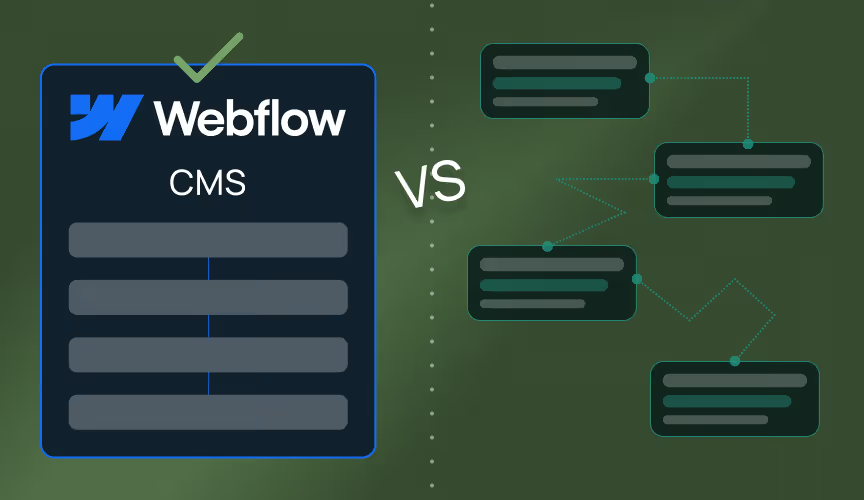
First Things First: What Is the Difference?
Before we dive into the strategic nitty-gritty, let's get on the same page. On the surface, both Webflow and headless platforms like Contentful or Sanity manage content. But how they do it is fundamentally different, and that difference has massive implications for your team, budget, and sanity.
Think of Webflow's native Webflow CMS as a beautifully designed, high-performance electric car. It comes fully assembled, the interior is stunning, the performance is exceptional right out of the showroom, and you can start driving it immediately. It's an integrated system where the content management (the engine), the design (the body), and the hosting (the road) are all part of one seamless package. This is the power of Visual Development; what you see is what you get, and your marketing team can take the keys and drive without needing a mechanic on standby.
A headless CMS, on the other hand, is like being handed a world-class engine and a box of high-end parts. The engine (your content) is incredible, but it's just an engine. It's 'headless' because it has no body, no front-end presentation layer. Your development team has to build the car (the website, the mobile app, the smart fridge display) around it using frameworks like Next.js, Nuxt, or Gatsby. You can build absolutely anything, but you'd better have a team of specialist mechanics on the payroll.
The developer dependency question
This is probably the most significant factor in the entire debate. Your choice here directly impacts who on your team holds the power to build, update, and manage your digital presence.
Webflow empowers your team
Webflow is designed to minimise developer dependency. Once a site is built with a solid structure (something we specialise in), it empowers marketing and design teams to take full ownership. They can create new landing pages, publish blog posts, update product features, and even build out new sections of the site, all without writing a single line of code. There's a learning curve, for sure, but it's a curve of mastering a tool, not learning to code. This autonomy is transformative for businesses that need to move fast. It means a campaign isn't blocked because a developer is busy with another project. We've seen firsthand how a well-structured Webflow site can empower a team and accelerate growth.
Headless demands developers
A headless architecture, by its very nature, is developer-centric. While the content editing experience in platforms like Sanity can be excellent for marketers, every single change to the front-end—how that content is displayed—requires a developer. Want to add a new call-to-action block to your blog posts? That's a developer task. Need to change the layout of your services page? Developer task. This creates a permanent reliance on your development team for both initial creation and ongoing maintenance. This isn't necessarily a bad thing if you have the resources, but it's a critical strategic consideration that can lead to significant Technical Debt if not managed properly.
Comparing cost and complexity
Chasing the trendy tech can often come with unforeseen costs. It's easy to compare subscription prices, but the Total Cost of Ownership (TCO) tells a much more honest story.
Webflow's pricing model is a straightforward Software-as-a-Service (SaaS) subscription. That monthly or annual fee on our pricing page includes best-in-class hosting, an integrated Content Delivery Network (CDN), SSL certificates, security, and platform updates. There are no hidden maintenance costs. You don't have to worry about plugin conflicts, security patches, or server updates. That's all handled for you. This predictable cost structure provides what I like to call 'technical serenity'. If you've ever wrestled with a WordPress site, you'll know exactly how valuable this is. In fact, when you look at the real 3-year cost, the difference is often staggering, as we explored in our Webflow vs WordPress comparison.
The cost of a headless setup is far more fragmented. You have multiple bills to pay:
- The CMS Subscription: A fee for Contentful, Sanity, or another provider.
- Front-End Hosting: A separate subscription for services like Vercel or Netlify to host your Next.js or other framework application.
- Developer Resources: This is the big one. You're paying for the significant time it takes to build and maintain the front-end application. This is either an internal developer's salary or an agency's retainer.
- Additional Services: You may also need to pay for a separate CDN, security monitoring, and other infrastructure components.
The total cost of a headless solution is almost always higher, and its complexity requires a much greater degree of technical oversight.
A practical use case framework
Alright, let's get practical. The 'right' choice depends entirely on what you're trying to build and who is building it. Here's a breakdown of when each approach typically shines.
When Webflow is the smart choice
Webflow excels when your primary channel is the web and you value speed, design fidelity, and team empowerment. We recommend Webflow for:
- Marketing Websites: For most companies, from startups to enterprises, Webflow is the ideal platform for a corporate or marketing site. It's fast, SEO-friendly, and easy for marketing teams to manage.
- SaaS Landing Pages: The ability to quickly clone, modify, and launch new landing pages for different campaigns without developer input is a massive advantage for SaaS businesses.
- Visually Rich Projects: When pixel-perfect design and complex animations are a priority, Webflow's visual canvas gives designers unparalleled control.
- SEO-Critical Projects: Webflow's clean code, static site generation, and built-in SEO controls provide a powerful foundation for a strong Webflow SEO strategy. Excellent Page Speed Optimisation is baked in, not bolted on.
When headless architecture makes sense
Going headless is a major investment in complexity and resources. It becomes the superior choice only when you have specific, complex requirements that an integrated platform like Webflow can't meet out of the box. Consider headless when:
- Omnichannel Content is a Must: If you need to serve the exact same content to your website, a native mobile app (iOS/Android), in-store kiosks, and maybe even a smartwatch app, a headless CMS is built for this. It acts as a central content hub for your entire Digital Ecosystem.
- You Require Complex Web Applications: If you're building a tool with heavy, server-side logic, complex user dashboards, and real-time data processing, a headless architecture coupled with a powerful front-end framework is the right tool for the job.
- Extreme Scale is a Factor: For global media sites with millions of daily visitors and vast content libraries, the decoupled nature of headless can offer advantages in Scalable Web Design and performance, as confirmed by industry analysis from sources like Pinova.
- You're Tied to a Specific Tech Stack: If your company has mandated the use of React or Vue.js for all digital properties, a headless CMS like Sanity allows you to use those frameworks while still having a robust content backend.
Making the right strategic decision
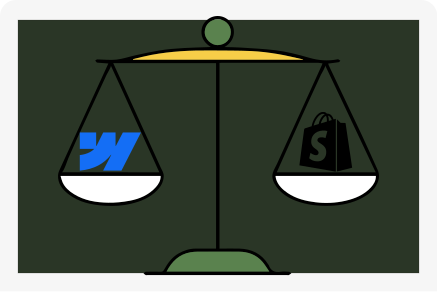
As you can see, this isn't a simple case of one being 'better' than the other. It's a strategic trade-off. To make the right choice, you need to honestly assess your own organisation. At Tahi Studio, we don't push a solution; we act as your guide to help you find the right one. As we often say, you're the hero of your story, and our job is to provide the map.
Here are the key questions you need to ask:
- Team Composition: Who will be managing the site day-to-day? If it's your marketing team, Webflow is a clear winner. If you have a dedicated team of front-end developers, headless is a viable option.
- Total Budget: Are you prepared for the multifaceted costs of a headless setup, including significant ongoing developer salaries or agency fees?
- Primary Goal: Are you building a powerful marketing website or a complex, multi-platform application?
- Speed to Market: How quickly do you need to be able to iterate and launch new content and pages?
Choosing your tech stack is one of the most important foundational decisions you'll make. Don't let the hype cycle dictate your strategy. Take a hard look at your goals, your team, and your budget. More often than not, the simplest, most integrated solution is the one that will deliver the most value with the least friction.
The allure of infinite flexibility with a headless CMS is powerful, but it comes at a steep price in complexity and cost. For the vast majority of businesses whose primary goal is a high-performing, beautiful, and easy-to-manage website, Webflow provides all the power you need, without the overhead. It hits the sweet spot between power and usability, and that's a strategic advantage that's hard to ignore.
If you're weighing these options and need a technical partner to help you cut through the noise and make a clear, strategic choice, that's what we're here for. Let's talk about what's genuinely right for you and your business. Get a Free Site Audit today and we can start the conversation.